Creating a local recommendations guide step by step: our Bern example
By Rafael, on
What does a finished guide look like?
A web page guests open with a scan, with no app and no account. For this article, we created an example property, "Bern City Apartment", with eight places in four categories: two restaurants, two cafés, three sights and one activity.
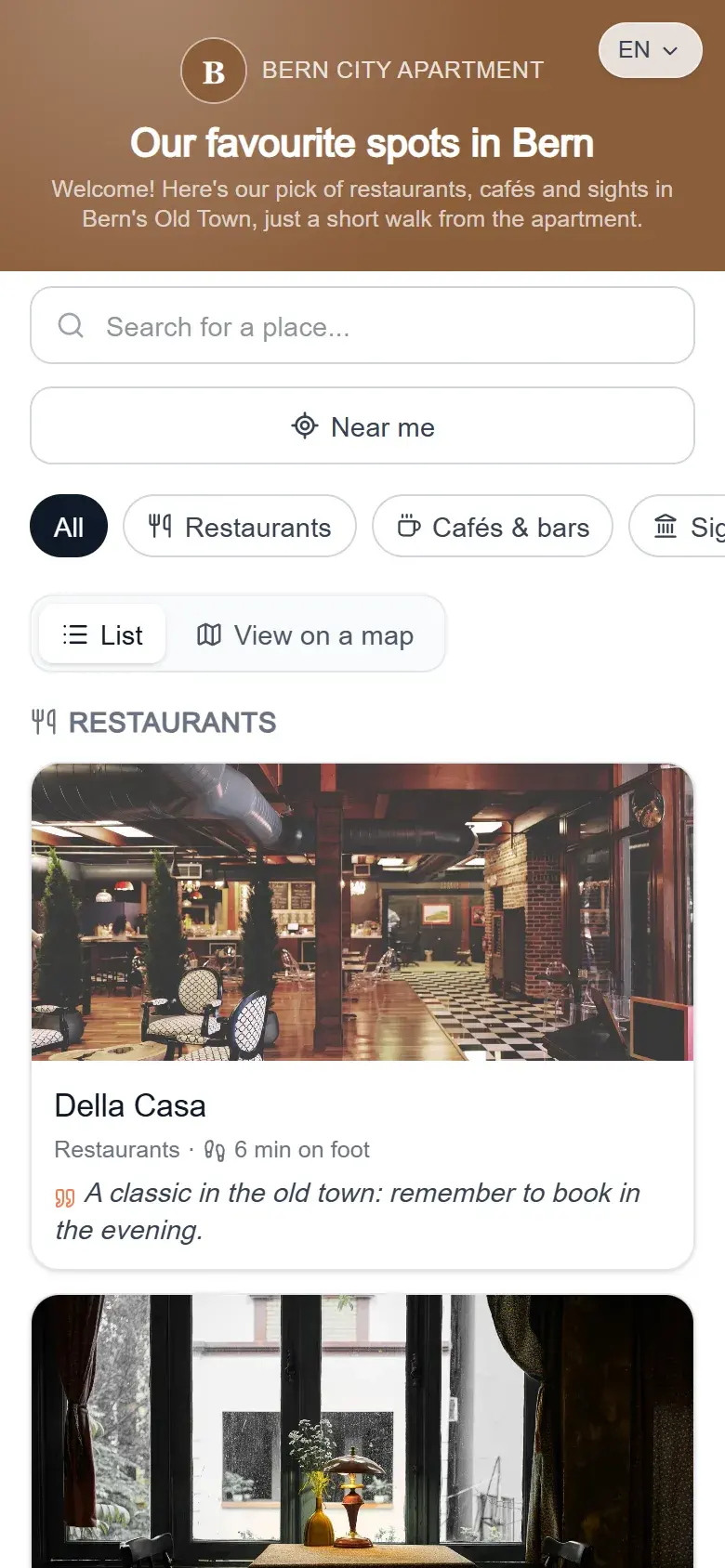
At the top: the property name, the guide title and a welcome message. Below: a search, a "Near me" button, category filters and a choice between list and map. Each place shows a photo, the walking time from the accommodation and the host's line.
The places themselves, and why we chose them, are covered in our article on the best local spots to recommend in Bern.
How do you get started?
By creating a free account, with no credit card. A short assistant then walks you through three steps, and everything stays editable later.
- Your property: its name and details, which will appear on the public guide.
- The guide's name: "Our favorite spots" by default, or your own title, such as "Our favourite spots in Bern".
- Your first place: a restaurant, a café, a sight.
The Discovery plan includes one property, one guide and up to ten recommendations, with a "Made with HerePicks" mention. The Host plan removes the mention and lifts the limits on places and guides: details are on the pricing page.
How do you set the title and welcome message?
In the guide settings, at the top of the editing page. You write the title and message in your own language, and they are translated automatically into the other three.
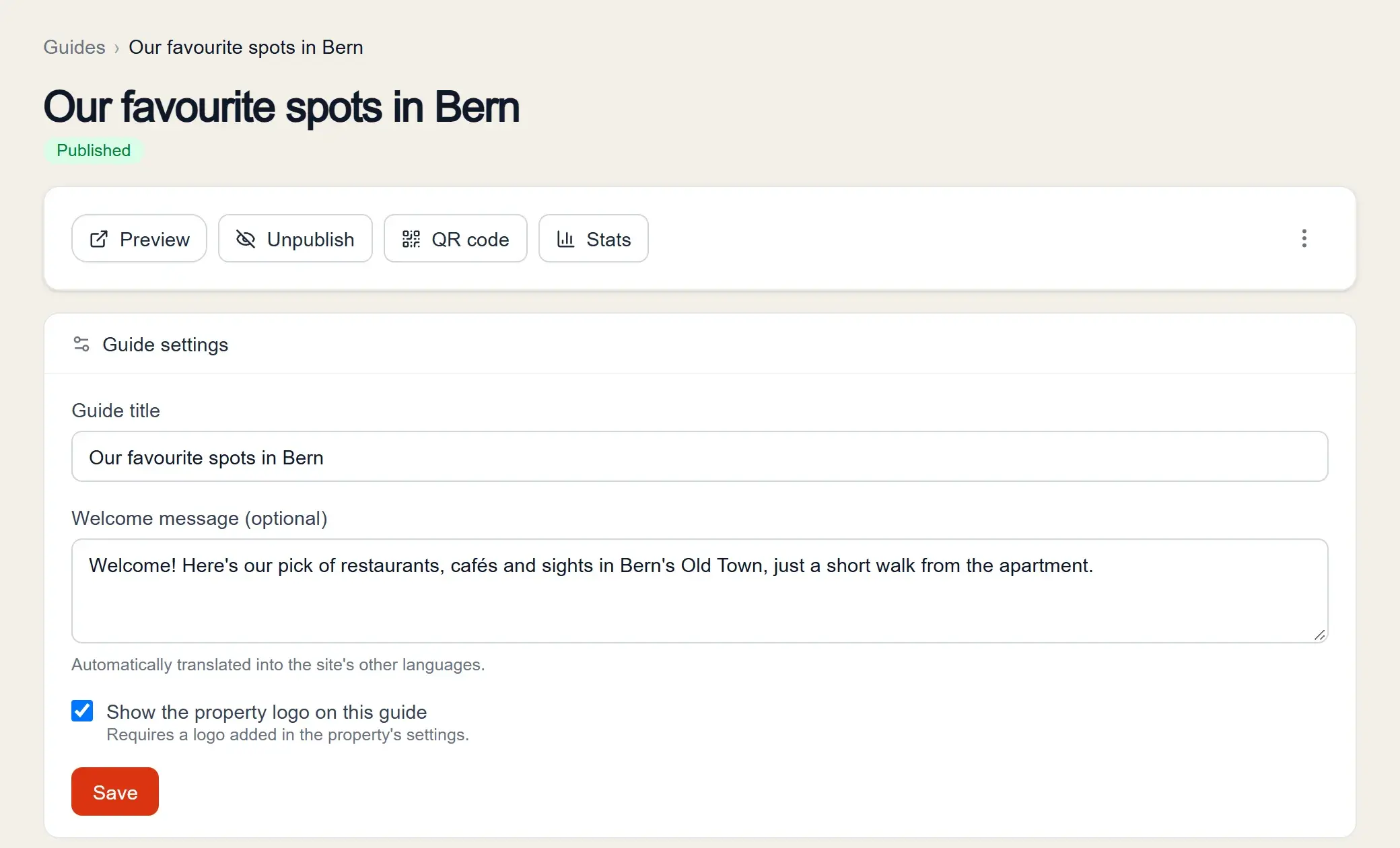
Above them, four buttons do the rest of the work: preview the guide, publish or unpublish it, open the QR code and check the statistics. A short welcome message is enough: one sentence that places the accommodation and says what guests will find.
How do you organise the categories?
By picking from seven categories: Restaurants, Cafés & bars, Things to do, Sights & culture, Shopping, Nature and Practical. Add only the ones you need, then drag them into the order you want in the guide.
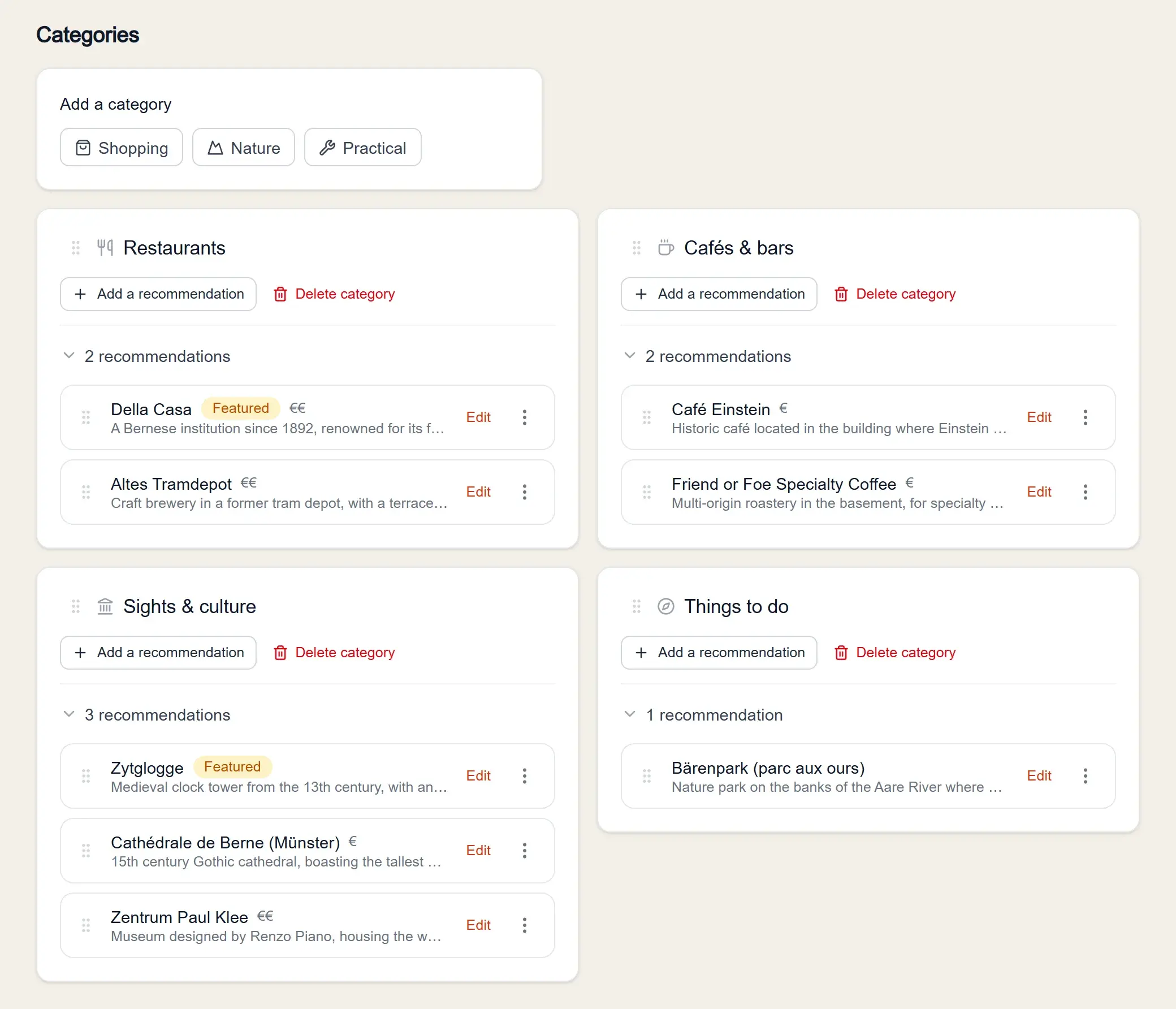
Four categories were enough for Bern. The "Places to discover nearby" block also suggests places around your accommodation, based on Google Maps: tick the ones you know, and they join the guide with their practical details. To decide how many places to add per category, see our guide on the best local spots to recommend to your guests.
How do you add a place?
By searching for it by name. HerePicks fetches its main details, such as the address, and works out the walking and driving times from your accommodation when you save. What's left is the essential part: saying why you recommend it.
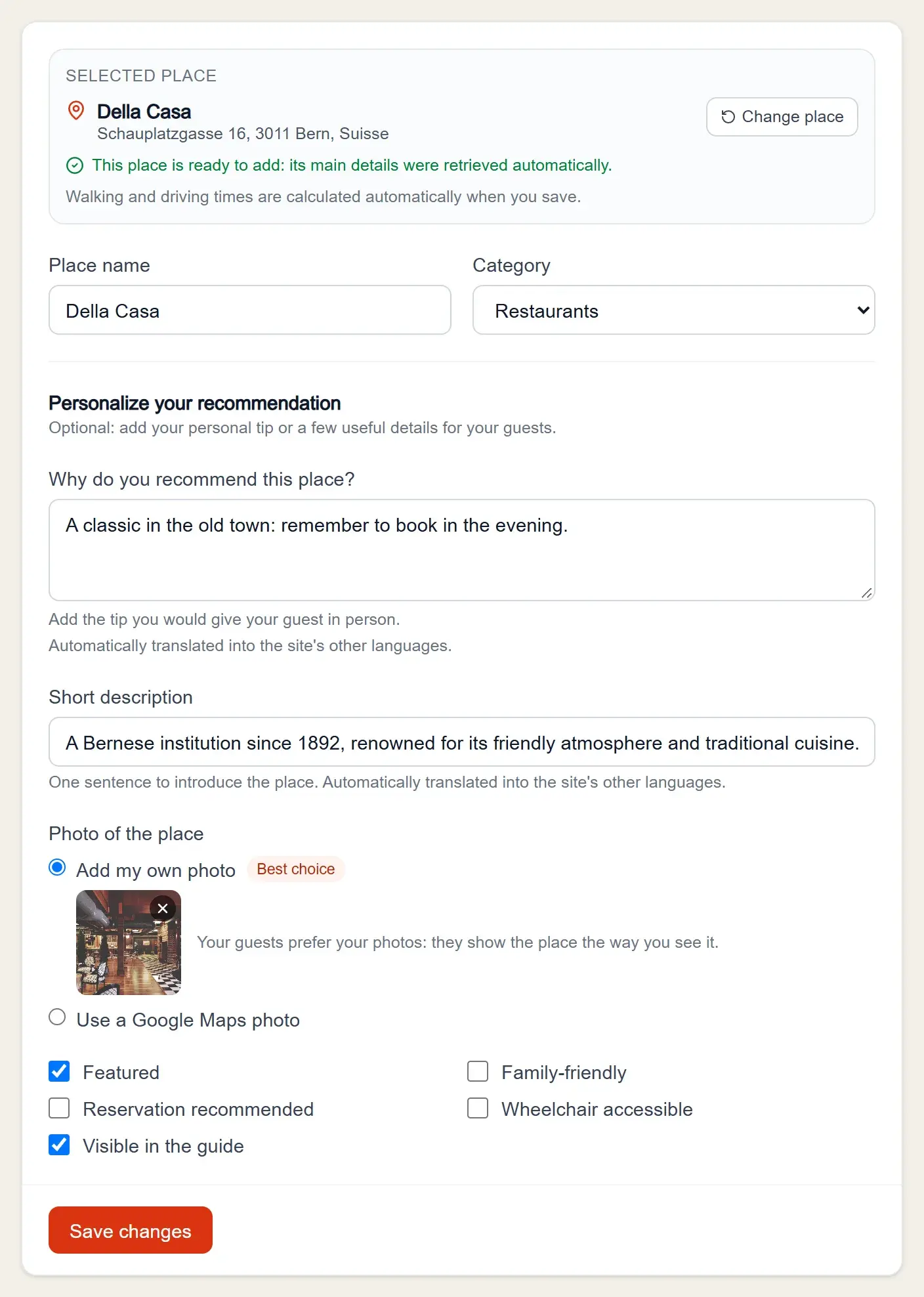
- Why do you recommend this place? This is the most important field. For Della Casa: "A classic in the old town: remember to book in the evening."
- Short description: one factual sentence to introduce the place.
- Photo: ideally your own, or the one from Google Maps.
- Options: "Featured" to highlight the place, "Reservation recommended", "Family-friendly", "Wheelchair accessible".
- Visible in the guide: untick it to hide a place out of season, without deleting it.
Your texts are translated automatically into French, English, German and Italian. Keep sentences short: they translate better.
What do guests see when they open a place?
A full page, in their phone's language: the photo, the description, your tip highlighted, the price range, the distance, the travel times and a map. The buttons open directions in Google Maps or Apple Maps, call the place or open its website.
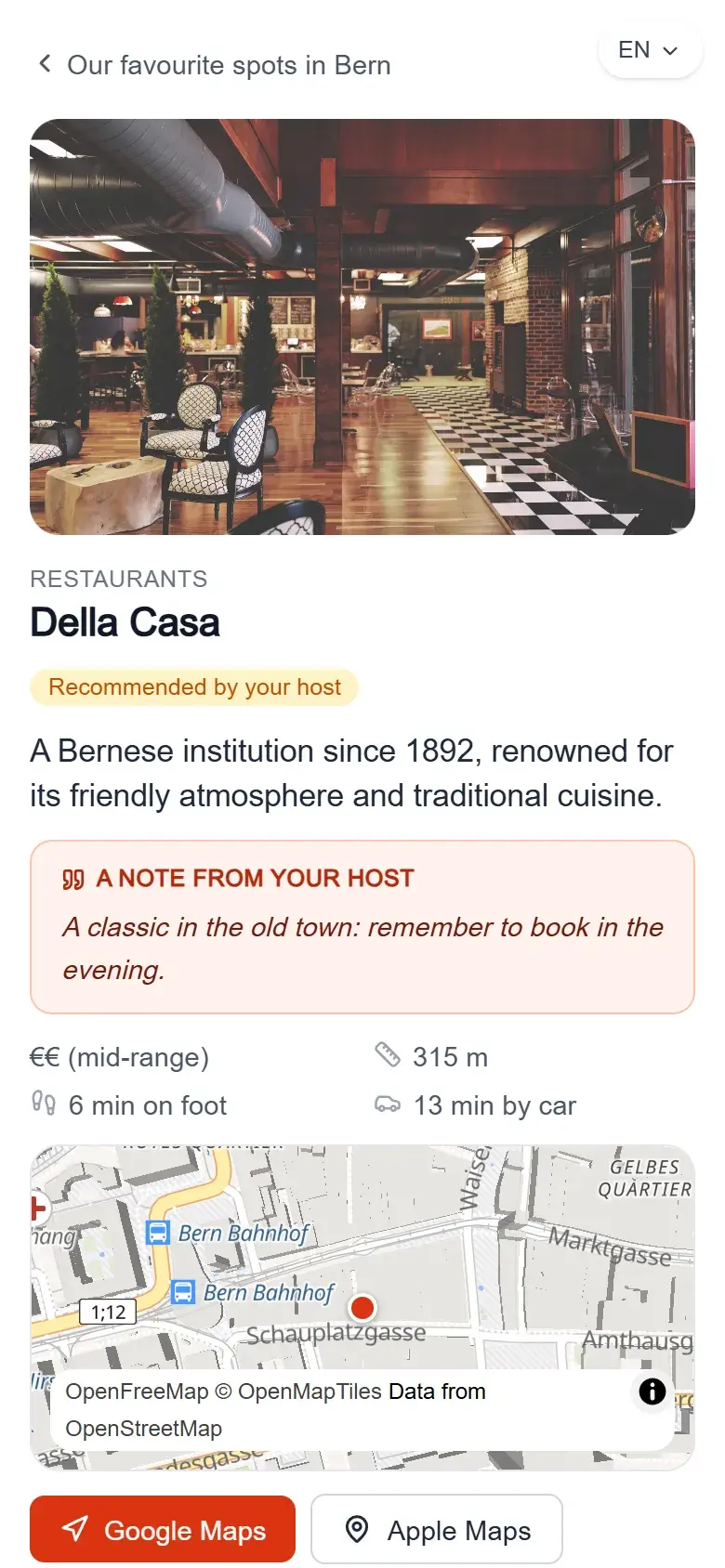
Guests can also switch language themselves, at the top right. They have nothing to install: the guide opens in the browser.
Before printing anything, open the guide on your own phone: it's the best way to spot a sentence that's too long, a badly framed photo or a place in the wrong category.
How do you share the guide with your guests?
In two ways that lead to the same link: a QR code printed in the accommodation, and the link sent before arrival. The "Print materials" page prepares the QR code in the format you choose.
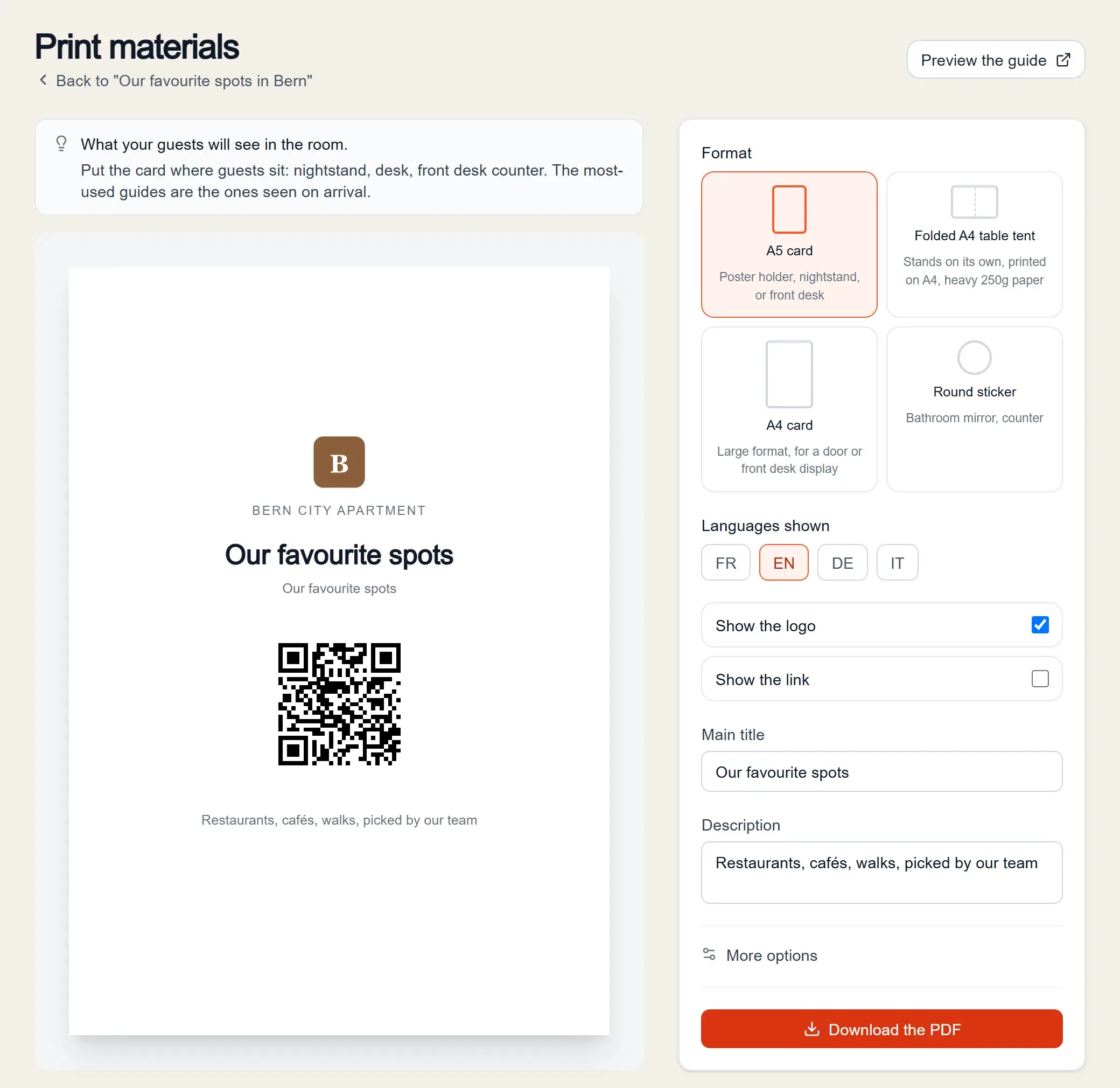
- A5 card: for a sign holder, the bedside table or the reception desk.
- Folded A4 table tent: it stands up on its own, printed on thick paper.
- A4 card: a large format, for a door or a counter.
- Round sticker: on the bathroom mirror or a counter.
You choose the languages shown, the title and a short description. If you edit the guide later, the QR code stays the same: no need to reprint. To place it well, see our guide on the guest welcome QR code, and for the message that goes with the link, our guest message templates.
After that, the statistics show, anonymously, how many times the guide was opened, which places were viewed and how many directions were launched. The page on local recommendations for guests sums up everything a guide includes.
Frequently asked questions
How long does it take to create a guide?
Mostly the time it takes to choose your places and write a sentence for each one. Practical details and travel times are filled in automatically.
Is the guide free?
The Discovery plan is free: one property, one guide and up to ten recommendations, with a "Made with HerePicks" mention. The Host plan lifts these limits.
Do guests need to install an app?
No. They scan the QR code or tap the link, and the guide opens in their browser, with no account.
Can you edit the guide after printing the QR code?
Yes. The QR code always leads to the same link: your changes show up straight away, without reprinting.
Which languages does the guide appear in?
French, English, German and Italian, depending on the phone's language. Your texts are translated automatically into these four languages.
Ready to create your guide?
Free, no credit card required.
Create my guide for free